
Convert to LeRobot#
Overview#
LeRobot is Hugging Face’s open
format and toolkit for robot-learning datasets. This guide walks through
converting robot data you’ve ingested into Roboto into a LeRobot dataset,
using the roboto-to-lerobot action from the Action Hub.
It doesn’t matter what your logs were originally recorded as — once they’re
ingested and their topics are queryable on Roboto, the action can convert them.
The action turns a collection of events into a single LeRobot dataset — one episode per event. A contract — a small YAML file you store in the invocation dataset, the dataset you run the action against — is the single source of truth for the conversion: it decides which topics become which camera, state, and action features, how each stream is aligned, and what transforms are applied. You author the contract once, and the action applies it identically to every event.
The action ships as two variants with an identical interface:
roboto-to-lerobot-v3_0writes the LeRobot 3.0 format. This is the recommended default.roboto-to-lerobot-v2_1writes the LeRobot 2.1 format. Pick this one only when the tools you train with have not yet adopted LeRobot 3.0.
The walkthrough below uses the web UI. It’s a general overview of how the pieces fit together rather than a step-by-step you follow with identical data — your topics, contract, and IDs will be your own. For the complete contract schema — every field, message type, alignment method, and transform — see the Roboto to LeRobot Contract reference.
Prerequisites#
One or more recordings ingested into a Roboto dataset, so their topics are queryable. Roboto ingests many log formats; see, for example, Working with ROS Logs.
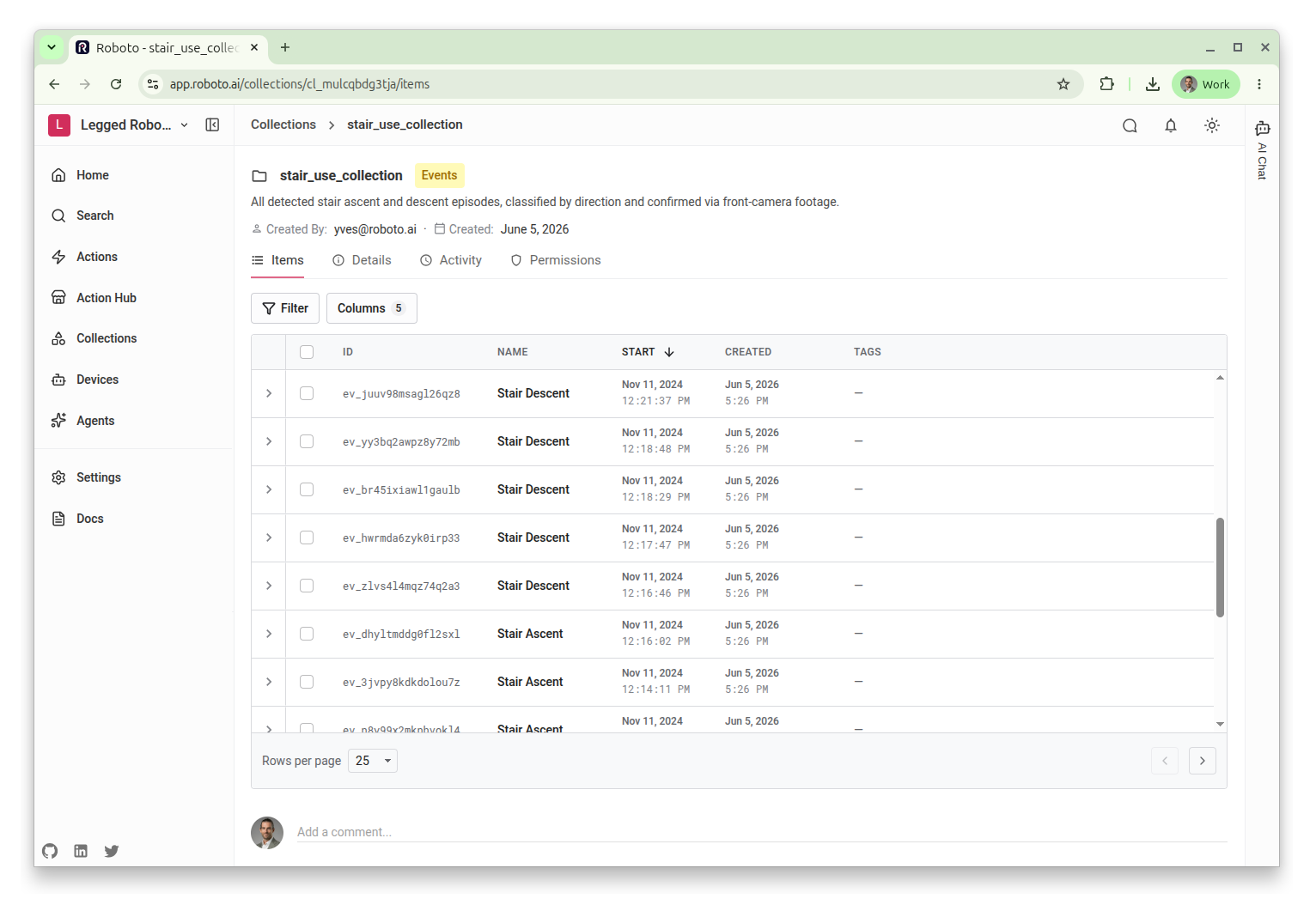
Events defined over the spans you want to turn into episodes. See Create Events on Data. When you create an event, you can set a
taskmetadata field on it to annotate that episode’s LeRobot task label — the action reads it directly, so this is the simplest way to label each episode. See Task specs in the contract reference for how the label is otherwise resolved.A collection of those events. The collection’s
resource_typemust beevent. See Working with Collections.
The collection defines the episodes of the output dataset, so it’s worth opening it first to confirm it holds exactly the events you intend to convert.
Inspect your topics#
The contract maps topics to LeRobot features, so start by confirming the exact topic names, message types, and field names in your recordings. In the web UI, open the dataset, expand a file, and view its topics. Note the topic name and message type of each camera, joint-state, and command stream you want to include — and, for joint states, the joint names you want to keep.
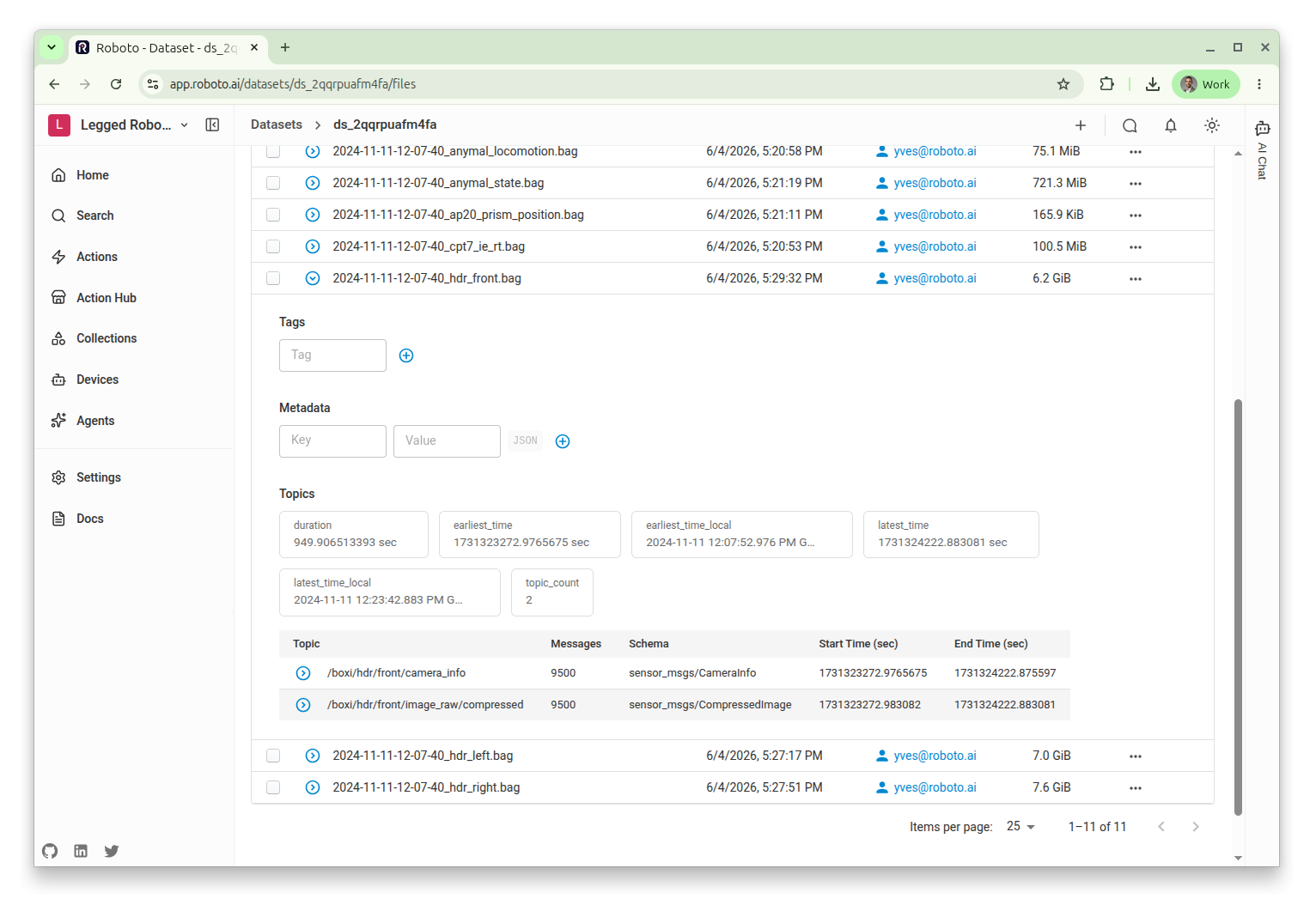
Real recordings often have long, machine-generated topic and field names. That’s fine — the contract lets you map them to clean, ROS-independent feature names, so your LeRobot dataset never inherits your recording’s topic layout.
Upload the contract#
The action reads the contract from the invocation dataset, where by default it
looks for a file named contract.yaml anywhere in the dataset. Upload
contract.yaml to any dataset you own; a small dataset dedicated to the
contract keeps it separate from your raw recordings. If several files match,
the action uses the first and logs a warning; set the contract parameter to
choose explicitly.
Invoke the action#
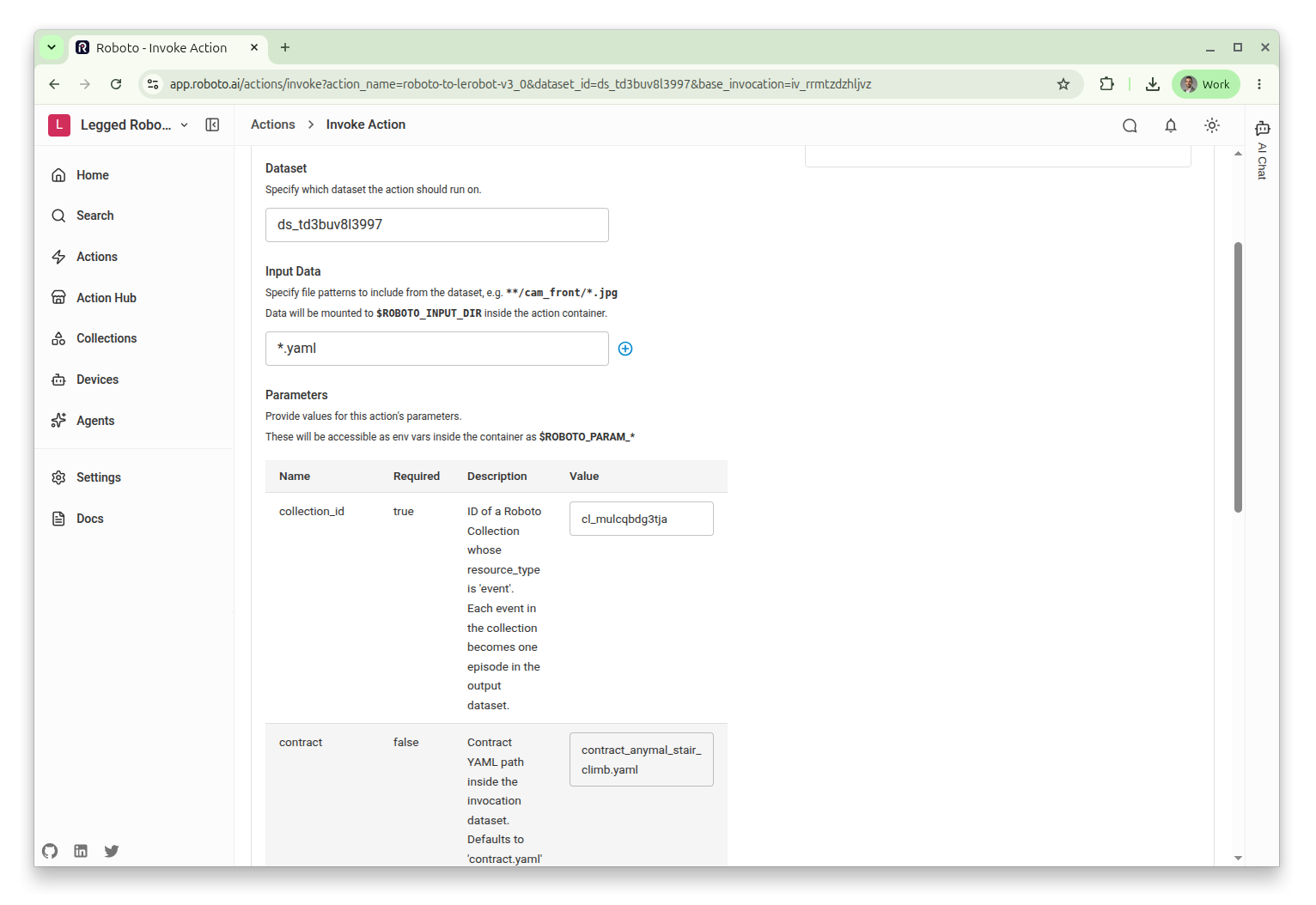
Run the action against your invocation dataset, pointing it at your event collection:
Open the Action Hub from the left navigation bar and select
roboto-to-lerobot-v3_0.Click Invoke.
Choose your invocation dataset (the one holding
contract.yaml).Set the
collection_idparameter to your event collection’s ID. Leavecontractunset to use thecontract.yamlin the dataset, or set it to a different path.Click Invoke to start the run.
The remaining parameters tune sharding and encoding performance; their defaults are fine for a first run:
shard_count(default3) is the number of parallel writer shards, merged by stream copy at the end.pool_sizeis the worker count per shard. Left unset it auto-sizes tomin(16, cpu_count / shard_count)— 5 on the default 16-vCPU compute. An explicit value is used as given and is not capped.encoder_threads(default2) is the SVT-AV1 encoder’s parallelism per camera stream. Keep it at2or above; lower values risk the encoder’s frame queue overflowing and silently dropping frames.
To write the LeRobot 2.1 format instead, select roboto-to-lerobot-v2_1;
the parameters are the same. Sharded writing merges shards with
lerobot.datasets.aggregate, which exists only in lerobot 0.5.x, so the 2.1
variant (lerobot 0.3.3) ignores shard_count, falls back to a single writer,
and logs a warning. It ignores encoder_threads too.
Note
If the invocation dataset holds no contract.yaml and you did not set the
contract parameter, the run fails immediately. The run also fails if any
topic named in the contract is missing from the recordings.
Check the output#
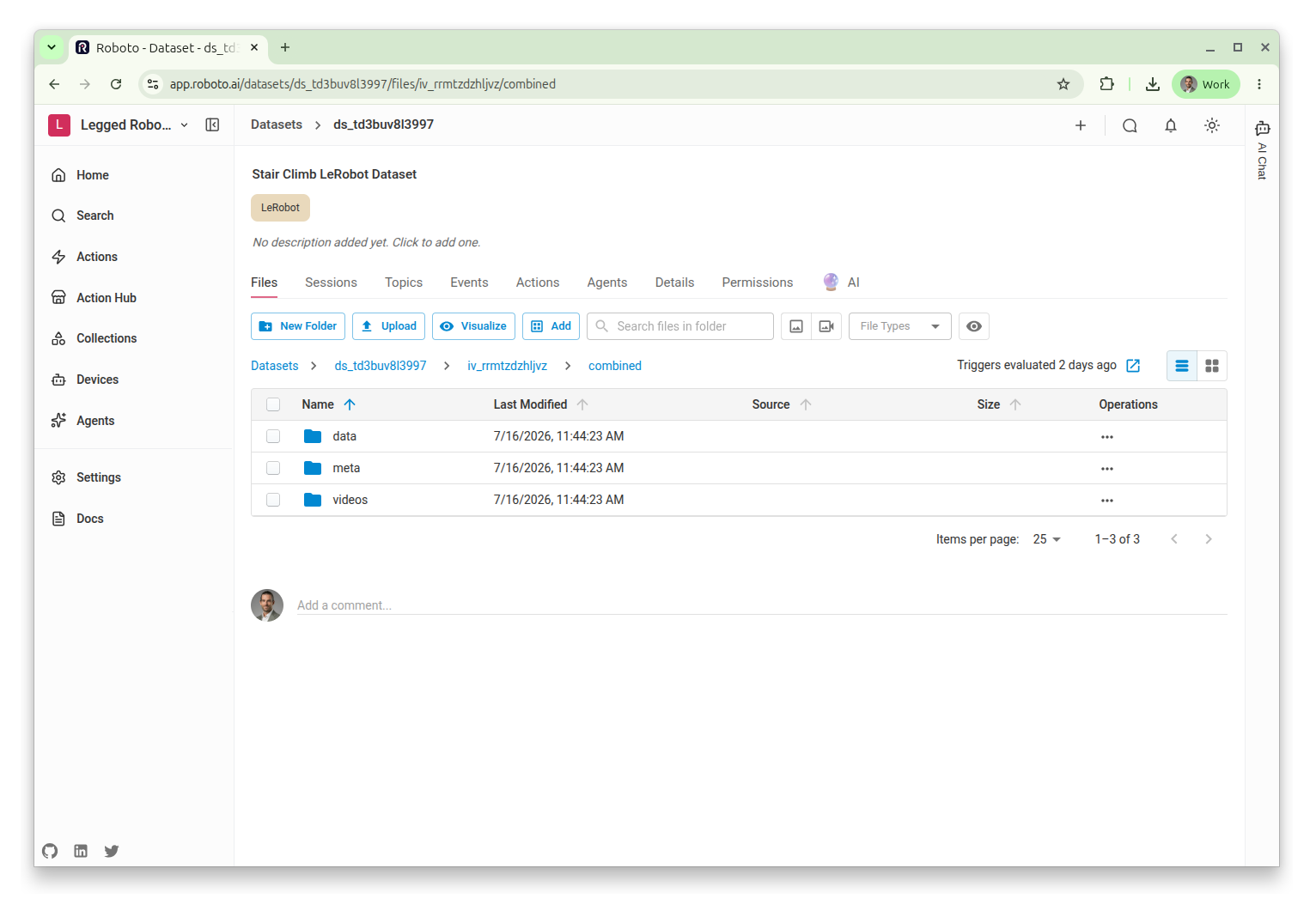
When the invocation completes, the action uploads its output back to the
invocation dataset, under a folder named after the invocation ID. Inside it,
combined/ holds the LeRobot dataset in the standard layout — a meta/
directory, per-episode data, and encoded videos for each camera feature —
alongside manifest.json and an archived copy of the contract.
The manifest records each episode’s source event, the contract’s checksum, the collection version read at invocation time, and the lerobot version that wrote the dataset.
On roboto-to-lerobot-v3_0 with the default shard_count of 3,
episodes are grouped by shard rather than chronologically, so episode order does
not follow event start time; each episode’s original start_time_ns and
end_time_ns are recorded in manifest.json under episode_to_event.
The 2.1 variant always writes with a single writer, so its episodes stay in
chronological order.
Use your dataset#
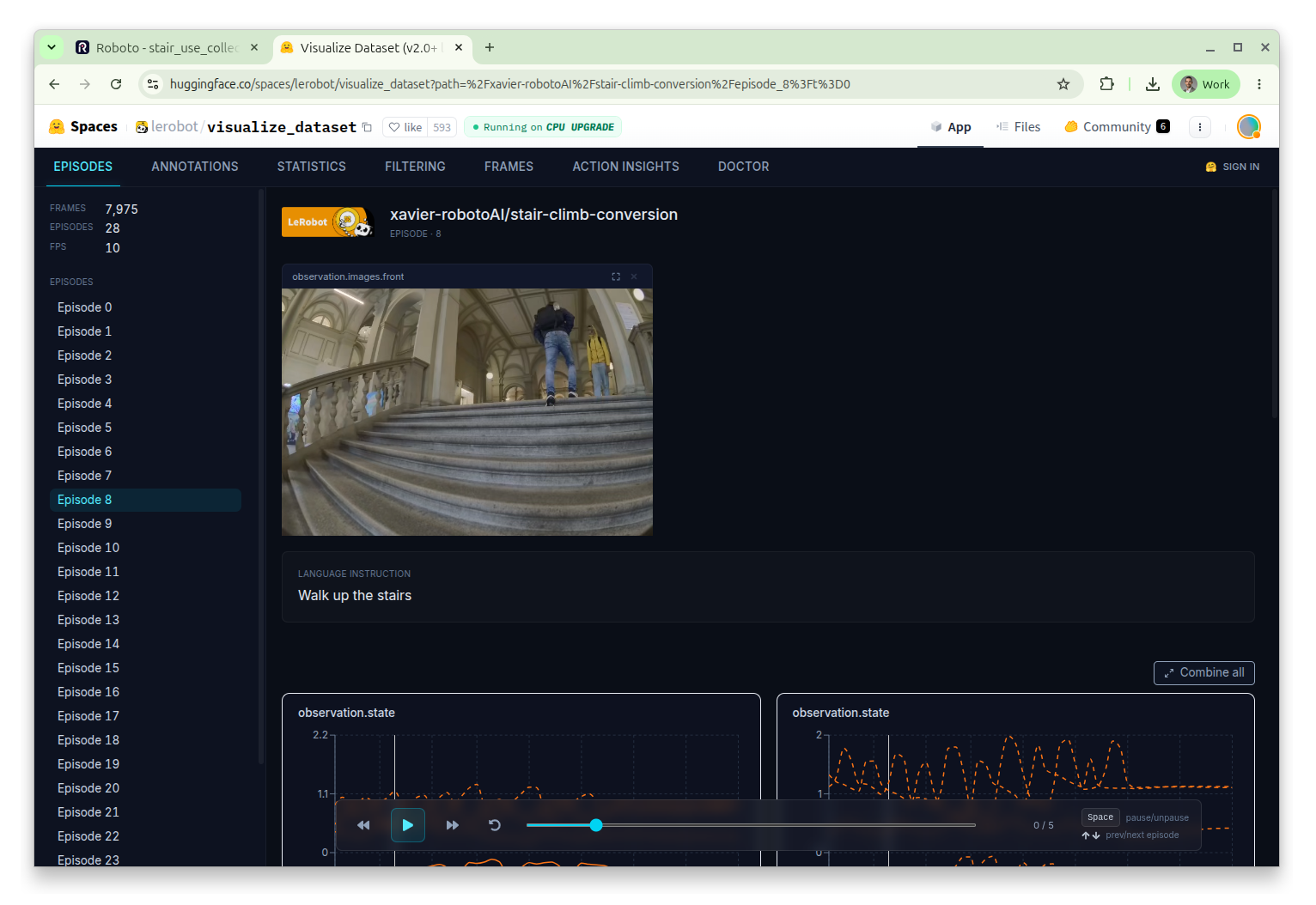
The output is a standard LeRobot dataset, so anything that reads LeRobot works on it. A common next step is to publish it to the Hugging Face Hub, where the built-in LeRobot dataset visualizer lets you spot-check that camera frames, states, and actions line up as expected. Confirm that:
The feature keys and
lerobot_namesmatch what you declared.The camera video plays in sync with the state and action signals.
Each episode’s task label is what you expect (see Task specs in the contract reference for how the label is chosen).
Conclusion#
You have converted a collection of events into a LeRobot dataset driven by a single contract. From here you can iterate on the contract — adding cameras, selecting more joints, or applying transforms — and re-invoke the action to regenerate the dataset. See the Roboto to LeRobot Contract reference for the full set of options.